Sunday, January 26, 2025

How to Fix a Battery and Maximize Its Energy Storage

How to Fix a Battery and Maximize Its Energy Storage

How to Fix a Battery and Maximize Its Energy Storage: A Guide to Battery Care

Batteries are the lifeblood of our modern world. From our smartphones to our electric cars, they power everything. But like any other technology, batteries degrade over time and can lose their ability to hold a charge. This can be frustrating and inconvenient, especially if you rely on your device for essential tasks. But don't worry! Just like we take care of ourselves to stay healthy, we can also take care of our batteries to prolong their lifespan and keep them running at peak performance.

In this guide, we'll dive into the world of battery care, exploring how to fix a battery and maximize its energy storage. We'll cover various battery types, common battery problems, and practical tips to improve their longevity.

Understanding Battery Basics

Before we delve into the nitty-gritty of battery care, let's understand how batteries work. A battery stores energy chemically, using a chemical reaction to convert stored chemical energy into electrical energy. This process involves a flow of electrons from the negative electrode (anode) to the positive electrode (cathode) through an electrolyte. Think of it as a tiny power plant inside your device, ready to unleash energy whenever needed.

Types of Batteries

There are many types of batteries out there, each with its own set of pros and cons. Some of the most common types include:

  • Lithium-ion (Li-ion) batteries: These are the most popular type of rechargeable batteries found in smartphones, laptops, electric vehicles, and many other devices. They offer high energy density, long life, and fast charging capabilities.
  • Nickel-cadmium (Ni-Cd) batteries: These are known for their durability and long lifespan but have a "memory effect" where they can lose capacity if not fully discharged before recharging.
  • Nickel-metal hydride (NiMH) batteries: These offer higher capacity than Ni-Cd batteries and have a lower memory effect but have a shorter lifespan.
  • Lead-acid batteries: These are commonly used in cars, trucks, and motorcycles. They are inexpensive and durable but heavy and have a lower energy density.

Common Battery Problems

Batteries are not indestructible and can experience various problems over time. Some of the most common battery issues include:

  • Reduced capacity: This means your battery can't hold as much charge as it used to, leading to shorter run times.
  • Slow charging: Your battery may take longer to charge than usual, indicating a potential issue with the charging circuitry or the battery itself.
  • Fast draining: Your device may drain its battery quickly, even when not in use, suggesting a faulty battery or excessive power consumption.
  • Swelling: This is a dangerous sign indicating a battery that might be overheating or damaged. Avoid using the device and seek professional help.

Fixing a Battery: Is It Possible?

Can you actually fix a battery? The answer depends on the type of battery and the specific issue. Here's a breakdown:

Rechargeable Batteries

For most rechargeable batteries, especially those in smartphones and laptops, fixing them often means replacing them. Batteries are complex and delicate, and most of the time, trying to fix them yourself can lead to further damage or safety hazards.

However, there are a few exceptions:

  • Battery calibration: For Li-ion batteries, performing a battery calibration can sometimes help improve performance. This involves fully draining and then fully charging the battery. However, this might not work for all batteries and is not a guaranteed solution.
  • Battery cleaning: If your battery contacts are dirty or corroded, cleaning them with a cotton swab and isopropyl alcohol might help improve conductivity and charging efficiency.
  • Battery packs: For devices with removable battery packs, like some laptops, you might be able to replace individual cells within the battery pack if one is faulty. But this is often a complex and risky process.

Non-rechargeable Batteries

Non-rechargeable batteries, like those in remote controls or smoke detectors, can't be fixed. Once they're drained, they're done.

Maximizing Battery Life: Tips for Longevity

Although you can't always fix a battery, you can significantly extend its life by following these helpful tips:

Charging Practices

  • Avoid fully draining the battery: Li-ion batteries prefer to stay at a moderate charge level. Try not to let your battery get too low before charging.
  • Use a genuine charger: Using a cheap or incompatible charger can damage your battery and reduce its lifespan.
  • Avoid extreme temperatures: Heat and cold can degrade your battery performance. Keep your devices away from direct sunlight or extreme cold.
  • Turn off unnecessary features: When not in use, consider turning off Bluetooth, Wi-Fi, or other power-hungry features to conserve battery life.

Device Usage

  • Reduce screen brightness: A brighter screen consumes more power. Adjust your brightness settings to a comfortable level.
  • Close unused apps: Apps running in the background can drain your battery. Close them when not in use.
  • Enable low-power mode: Many devices offer a low-power mode that conserves battery life by limiting background activity and reducing screen brightness.
  • Limit high-intensity tasks: Games, video streaming, and heavy multitasking can put a strain on your battery. Avoid these activities when battery life is critical.

When to Replace Your Battery

While you can take steps to maximize battery life, there will come a time when it's time to replace your battery. Here are some signs that your battery might need replacement:

  • Rapid battery drain: If your device drains its battery significantly faster than usual, even when using it sparingly, it's a sign that the battery is no longer holding a charge effectively.
  • Swelling or bulging: If your battery is swollen or bulging, it's a serious safety hazard and needs to be replaced immediately.
  • Frequent charging: If you find yourself constantly charging your device throughout the day, it's a sign that your battery is losing its capacity.

Final Thoughts: Embracing Battery Longevity

Batteries are essential components of our modern devices, and understanding how to care for them is crucial. By following these tips and practices, you can extend their lifespan, avoid premature replacement, and enjoy a longer, more satisfying experience with your devices.

Remember, battery care is an ongoing process. Be mindful of your charging habits, use your devices efficiently, and stay aware of any signs of battery degradation. With a little effort and attention, you can keep your batteries humming along and ensure your devices are always ready to power your life.

Read More..

Step-by-Step Guide to DIY Battery Restoration

Step-by-Step Guide to DIY Battery Restoration

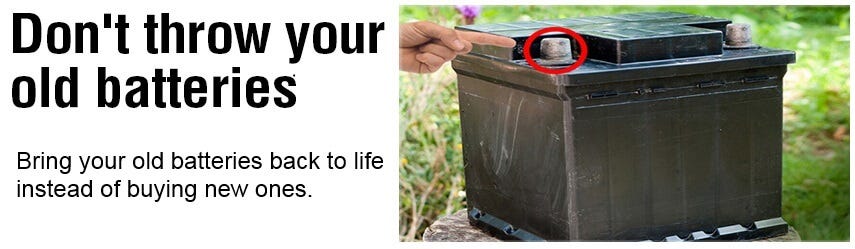
DIY Battery Restoration: Bring Your Old Batteries Back to Life

Tired of your car battery giving you the dreaded "click" instead of a roar? Don't rush to buy a new one just yet! With a little effort and the right tools, you can often breathe new life into your old battery through DIY restoration. This guide will walk you through the process step-by-step, empowering you to save money and extend the lifespan of your battery.

Assessing Your Battery's Condition

Before diving into the restoration process, it's crucial to assess your battery's condition. A visual inspection is a good starting point:

Signs of a Dead Battery:

  • Corrosion: Look for white, powdery build-up around the terminals. This indicates a chemical breakdown and potential internal damage.
  • Cracked Case: Cracks in the battery case can lead to leaks and compromised performance.
  • Swollen Case: A bulging battery case is a sign of internal pressure buildup, indicating a serious problem.
  • Leaking Electrolyte: A strong acidic odor or a milky-white substance around the terminals suggests leakage.

If you notice any of these signs, it's best to consider replacing the battery. However, if the battery is simply showing signs of age or neglect, restoration might be an option.

Getting Started: The Necessary Tools

To tackle this DIY project, you'll need a few essential tools. Make sure you have the following:

  • Battery Terminal Cleaner: This tool removes corrosion and ensures clean connections.
  • Baking Soda: Neutralizes acid and removes corrosion.
  • Distilled Water: Replenishes electrolyte levels in flooded batteries.
  • Hydrometer: Measures the specific gravity of the battery acid to assess charge levels.
  • Battery Charger: Charges the battery to bring it back to life.
  • Protective Gloves: Protect your hands from the corrosive battery acid.
  • Eye Protection: Shield your eyes from splashes.

The Restoration Process: Step-by-Step

Now that you have the necessary tools, it's time to get started:

Step 1: Disconnect the Battery

Always disconnect the battery terminals before working on it. Disconnect the negative terminal first (black cable) followed by the positive terminal (red cable). This prevents electrical shock and accidental short circuits.

Step 2: Clean the Battery Terminals

Use the battery terminal cleaner and baking soda to remove corrosion from the terminals. Scrub them thoroughly until they are clean and shiny. This ensures good electrical contact.

Step 3: Inspect for Leaks and Damage

Examine the battery case for any leaks or cracks. If you find any significant damage, it's time to replace the battery.

Step 4: Refill the Battery (Flooded Batteries Only)

For flooded batteries, check the electrolyte levels. If they are low, use a syringe or funnel to add distilled water to the individual cells until they are fully submerged. Never use tap water, as it contains impurities that can damage the battery.

Step 5: Charge the Battery

Connect the battery charger to the terminals, following the instructions for your charger. Charge the battery for the recommended time, typically 12-24 hours, until it reaches full charge.

Step 6: Test the Battery

Once the battery is fully charged, use a hydrometer to measure the specific gravity of the electrolyte in each cell. If the readings are consistent and within the recommended range, your battery is ready to be reinstalled.

Step 7: Reconnect the Battery

Reconnect the battery terminals, ensuring the positive terminal is connected first (red cable) followed by the negative terminal (black cable).

Precautions and Tips

Remember, DIY battery restoration is not a guaranteed solution. Some batteries are beyond repair. Always prioritize safety and follow these tips:

  • Work in a well-ventilated area: Battery acid fumes are harmful.
  • Wear protective gear: Gloves, eye protection, and old clothes are essential.
  • Handle the battery with care: Avoid dropping or tilting the battery, as this can damage the internal components.
  • Keep children and pets away: Battery acid is highly corrosive.
  • If unsure, consult a professional: If you're not comfortable with the restoration process, seek help from a qualified mechanic.
Read More..

Saturday, January 25, 2025

How to Bring Old Batteries Back to Life and Maximize Their Performance

How to Bring Old Batteries Back to Life and Maximize Their Performance

How to Bring Old Batteries Back to Life and Maximize Their Performance

Are you tired of replacing batteries all the time? It can be frustrating when your favorite devices lose power quickly, forcing you to hunt for new ones. But what if there was a way to extend the life of your old batteries and make them perform better? You'd be surprised at how much juice you can squeeze out of those seemingly dead batteries. This article will guide you through practical tips and techniques to revive your old batteries and get the most out of their remaining energy.

Understanding Battery Life and Degradation

Batteries are electrochemical devices that convert stored chemical energy into electrical energy. Over time, the chemical reactions within batteries slow down, leading to a decrease in capacity and performance. This process is called degradation, and it's an inevitable part of battery life. Several factors contribute to battery degradation, including:

  • Age: As batteries age, their internal components degrade, reducing their ability to hold a charge.
  • Temperature: Extreme temperatures (both hot and cold) can accelerate battery degradation.
  • Charging and Discharging Cycles: Each time you charge and discharge a battery, it wears down its internal components, ultimately shortening its lifespan.
  • Deep Discharges: Completely draining a battery frequently can put a strain on it and lead to faster degradation.

While you can't completely prevent degradation, understanding these factors can help you make conscious choices to prolong your battery's life.

Tips to Revive and Optimize Battery Performance

Here are some effective techniques to bring old batteries back to life and optimize their performance:

1. Deep Discharge and Recharge

This method is a bit controversial but can be effective for some types of batteries, particularly older rechargeable batteries like NiCd (Nickel-Cadmium) batteries. The idea is to completely drain the battery and then fully charge it, which can sometimes help "reset" the battery's internal chemistry. However, this method is not recommended for all batteries, especially lithium-ion batteries, as it can permanently damage them.

2. Battery Storage and Handling

Proper storage can significantly extend the life of your batteries. Here are some best practices:

  • Store batteries in a cool, dry place: Avoid exposing them to extreme temperatures or humidity.
  • Store batteries at a moderate charge: Do not store batteries fully charged or completely discharged. A moderate charge of 40-50% is ideal for long-term storage.
  • Separate batteries: Avoid storing batteries in bulk as they can short-circuit and damage each other.

3. Avoid Overcharging and Deep Discharging

Overcharging and deep discharging can put a strain on your batteries and accelerate their degradation. When charging, follow the manufacturer's recommendations and unplug the charger once the battery is fully charged. Similarly, try to avoid completely draining your batteries, especially lithium-ion batteries.

4. Use the Right Charger

Using a charger specifically designed for your battery type is crucial for safe and optimal charging. Incorrect chargers can damage batteries or even cause them to overheat and explode.

5. Cycle Batteries Regularly

For rechargeable batteries, regular cycling (charging and discharging) can help maintain their performance. However, avoid deep discharges and aim for moderate charge and discharge cycles.

6. Consider a Battery Refresher Device

These devices are designed to revitalize old batteries by applying controlled electrical pulses. While their effectiveness can vary, some users report positive results in extending battery life.

Conclusion

While batteries eventually degrade, there are several techniques and practices you can use to bring old batteries back to life and maximize their performance. Remember to choose the right methods for your battery type and always prioritize safety. By applying these tips, you can squeeze more juice out of your old batteries and save money on replacements. With a little care and attention, your batteries can continue to power your devices for a while longer!

Read More..

How to Recondition NiCad Batteries for Longer Life

How to Recondition NiCad Batteries for Longer Life

Giving Your NiCad Batteries a Second Wind: Reconditioning for Longer Life

Ah, NiCad batteries. They were the powerhouses of our childhood, powering everything from our toys to our walkie-talkies. But as time marches on, even these reliable batteries can start to lose their punch. The dreaded "memory effect" can set in, making them lose capacity and recharge slower. But don't toss those old NiCads just yet! There's a way to breathe new life into them: reconditioning.

Think of reconditioning as a "battery spa day." It's a process that helps to restore the battery's capacity and performance by cycling them through deep discharges and full charges. This process can help to break down the memory effect and revitalize the battery cells.

What is the Memory Effect?

Let's dive into the memory effect, the culprit behind NiCad batteries' dwindling performance. The memory effect happens when the battery is repeatedly charged before it's fully discharged. This can lead to a "memory" of that partial charge, making the battery think that's its full capacity. In essence, the battery is like a forgetful friend who remembers only the last few things you told them, forgetting all the earlier conversations.

Here's an example: Imagine you're using a NiCad battery in a toy car. You play with the car for a while, then realize the battery is running low. Instead of letting the battery fully discharge, you plug it in for a quick charge. You repeat this process several times. Over time, the battery starts to "remember" that partial charge as its full capacity. It will discharge faster and not hold as much power as it used to. This is the dreaded memory effect in action.

Understanding the Reconditioning Process

Now that we understand the memory effect, let's unpack how reconditioning tackles it. The process involves two main steps: deep discharge and full charge.

Step 1: Deep Discharge

The first step is to completely discharge the battery. This means using the battery until it's completely drained. There are a few ways to do this:

  • Use the battery in a device until it stops working: This is the simplest method, but it can take a while depending on the battery's capacity and the device's power consumption.
  • Connect the battery to a load: This involves attaching the battery to a device that consumes a lot of power. A light bulb is a popular choice, but you can also use a resistor or a device like a power drill.
  • Use a specialized battery discharger: These devices are specifically designed to discharge batteries quickly and safely. They usually have adjustable current settings to control the discharge rate.

Step 2: Full Charge

Once the battery is completely discharged, it's time to give it a full charge. This is done by connecting the battery to a charger and leaving it connected until the charging process is complete. You want to make sure you use the appropriate charger for your NiCad battery, as using the wrong charger could damage the battery.

Repeating the Cycle

For best results, it's recommended to repeat the deep discharge and full charge cycle several times. This helps to break down the memory effect more effectively and restores the battery's full capacity.

Tips for Reconditioning NiCad Batteries

Here are some tips to help you get the most out of reconditioning your NiCad batteries:

  • Use a proper charger: Avoid using a charger that isn't specifically designed for NiCad batteries.
  • Monitor the temperature: NiCad batteries can get warm during charging and discharging. Avoid charging or discharging them in extremely hot or cold environments.
  • Don't overcharge: Leaving NiCad batteries on a charger for too long can lead to damage. Once the charging cycle is complete, disconnect the battery from the charger.
  • Be patient: Reconditioning can take time. It may take several cycles before you see a significant improvement in the battery's performance.
  • Safety first: NiCad batteries can generate heat and potentially leak if mishandled. Always follow safety precautions, wear appropriate protective gear, and work in a well-ventilated area.

Signs that Reconditioning May Not Be the Answer

While reconditioning can extend the life of NiCad batteries, it's not a miracle cure. Some batteries may be too far gone to be salvaged. Here are some signs that it might be time to say goodbye to your old NiCad battery:

  • Significant swelling or deformation: If the battery is noticeably swollen or deformed, this could indicate internal damage and it's best to discard it safely.
  • Leaks or corrosion: If the battery is leaking or shows signs of corrosion, it's best to replace it. These can be signs of internal damage and may pose a safety hazard.
  • No improvement after reconditioning: If you try reconditioning several times and the battery still doesn't perform well, it's likely reaching the end of its lifespan.

Alternatives to Reconditioning

If reconditioning doesn't revive your NiCad batteries, or if you simply prefer a more modern option, there are several alternatives:

  • NiMH batteries: NiMH batteries offer a higher capacity and lower memory effect than NiCad batteries. They are also environmentally friendly.
  • Lithium-ion batteries: Lithium-ion batteries are the most common type of battery found in modern electronics. They offer high energy density, long life, and minimal memory effect.

While NiCad batteries have been largely replaced by these newer technologies, they still hold a special place in our hearts (and our childhoods). If you have some old NiCad batteries lying around, consider giving them a second chance by trying reconditioning. You might be surprised at how much life you can squeeze out of those old workhorses. Just remember to follow safety precautions and be patient with the process.

Read More..

How to Restore Lead-Acid Batteries and Avoid Memory Effect

How to Restore Lead-Acid Batteries and Avoid Memory Effect

Restoring Lead-Acid Batteries: Conquering the Memory Effect

Lead-acid batteries are workhorses, powering everything from cars to motorcycles, golf carts to forklifts. But like any hardworking tool, they need a little TLC to keep them running smoothly. One common concern with lead-acid batteries is the dreaded "memory effect," which can limit their capacity and lifespan. But fear not! With a little knowledge and some simple steps, you can restore your lead-acid batteries to their former glory and banish the memory effect for good.

What is the Memory Effect?

The memory effect is a phenomenon that used to be a big deal in older nickel-cadmium (NiCd) batteries. It occurs when you repeatedly charge and discharge a battery to the same level without fully depleting it. Imagine it like this: the battery starts to "remember" its usual operating range and refuses to use its full capacity. In essence, the battery thinks it's only supposed to hold a smaller charge, even though it has the potential to hold more.

Now, here's the good news: **the memory effect is almost nonexistent in modern lead-acid batteries**. That's because lead-acid batteries use a different chemistry than NiCd batteries. While the term "memory effect" gets thrown around sometimes, it's not a real concern for most lead-acid batteries.

Common Battery Problems: Why You Might Need to Restore a Lead-Acid Battery

While the memory effect isn't a real issue, there are other problems that can plague lead-acid batteries, leading to decreased performance and shorter lifespan:

  • Sulfation: This is the main culprit behind battery problems. When a battery isn't fully charged or sits idle for too long, lead sulfate crystals form on the battery plates. These crystals can block the flow of current and reduce the battery's capacity.
  • Corrosion: Over time, the terminals and connections can corrode, causing resistance and hindering the flow of current.
  • Internal Short Circuits: Internal damage, like a short circuit, can lead to rapid battery discharge and even overheating.

Signs Your Lead-Acid Battery Needs a Restoration

Before diving into the restoration process, let's identify the warning signs that your battery needs some attention:

  • Sluggish Performance: Your car, motorcycle, or other powered equipment starts slowly, the battery struggles to turn the engine, or it takes longer to start than usual.
  • Dim Lights: The headlights, dashboard lights, or other electrical components are dimmer than usual.
  • Frequent Recharge: You find yourself charging the battery more often than usual.
  • Battery Swelling: The battery case is bulging or feels abnormally tight. This can indicate a serious problem and should be investigated by a professional.
  • Unusual Odors: If you smell a strong sulfuric odor, it could indicate a problem like overcharging or leaking battery acid.

Restoring Your Lead-Acid Battery: A Step-by-Step Guide

Now, let's tackle that battery restoration! Keep in mind that while these steps are generally safe, always prioritize safety and wear appropriate protective gear when working with batteries.

1. Safety First!

Before we get started, let's talk about safety. Lead-acid batteries contain acid, and it's essential to take precautions to prevent spills or contact with the acid. Always wear eye protection, gloves, and old clothes that you don't mind getting splashed. When working with a battery, be sure it's on a stable, non-flammable surface.

2. Clean Up the Battery

Start by cleaning the battery terminals and surrounding area. Corrosion can hinder the flow of electricity, so removing it is crucial. Use a baking soda solution (1 teaspoon of baking soda per cup of water) to neutralize any acid spills. Apply the solution with a brush or cloth, then rinse with clean water. Use a wire brush to remove corrosion from the terminals.

3. Desulfation (For Deeply Sulfated Batteries)

If you suspect your battery is deeply sulfated, you might need to consider desulfation. This process can help break down the lead sulfate crystals and restore the battery's capacity. There are a few methods you can try:

  • Slow Charging: This method involves charging the battery at a low current (around 1/10th of the battery's capacity) for several days. It allows the crystals to gradually dissolve.
  • Pulse Charging: This method uses short bursts of high current followed by periods of rest. The pulses help to break down the crystals. You can purchase specialized desulfation chargers.
  • Battery Desulfator: These devices use a combination of low-frequency pulses and alternating current to break down the sulfate crystals.

Remember, desulfation is not a guaranteed fix. If the battery is severely sulfated, it may not respond to these methods.

4. Charge the Battery Thoroughly

After cleaning and potentially desulfating, it's time to give the battery a good charge. Use a battery charger specifically designed for lead-acid batteries. Make sure to follow the charger's instructions carefully. Overcharging can damage the battery, so don't leave it on the charger for extended periods once it's fully charged.

5. Test the Battery

Once the battery is fully charged, it's a good idea to test its performance using a battery hydrometer or a digital battery tester. This will help you determine if the restoration process has been successful. If the battery still doesn't perform well, it might be time to replace it.

Tips for Maintaining Your Lead-Acid Battery

Now that you've learned how to restore your battery, let's talk about prevention! Here are some tips to keep your lead-acid batteries healthy and functioning optimally:

  • Regular Charging: Avoid letting your battery completely discharge. Charge it regularly, even if you haven't used it for a while.
  • Deep Cycle: When you use the battery, try to completely discharge it before charging it again. This helps prevent sulfation.
  • Keep It Clean: Clean the terminals and surrounding area regularly to remove corrosion.
  • Store Properly: If you're storing a lead-acid battery for an extended period, charge it fully before storage and check it periodically to ensure it's not losing charge.
  • Temperature Control: Extreme heat or cold can damage a battery. Store and use the battery in moderate temperatures.

Conclusion

Lead-acid batteries are essential components in many applications. By understanding their maintenance needs and taking proactive steps to restore them, you can extend their lifespan and avoid the myths surrounding the memory effect. Regular cleaning, proper charging, and storage are crucial for keeping these batteries in top shape.

If you're unsure about a specific battery issue or restoration technique, it's always best to consult a qualified professional. Remember, a little preventative care can go a long way in ensuring your lead-acid battery performs reliably and efficiently for years to come!

Read More..

Can You Recondition Acid Batteries? Here's What You Need to Know

Can You Recondition Acid Batteries? Here's What You Need to Know

Can You Recondition Acid Batteries? Here's What You Need to Know

So, you've got an old, tired acid battery sitting around, and you're wondering if there's a way to bring it back to life. Maybe it's the one from your car, your motorcycle, or even your lawnmower. You've heard whispers about "reconditioning," and you're curious. Is it just a myth, or can you actually revive a dead battery?

The short answer? **Yes, you can sometimes recondition acid batteries.** But it's not a guaranteed magic bullet. It takes a bit of knowledge, effort, and patience, and it's not always successful. In this guide, we'll dive deep into the world of acid battery reconditioning, explaining how it works, when it's worth trying, and what risks are involved.

Understanding How Lead-Acid Batteries Work

Before we dive into reconditioning, let's brush up on the basics of lead-acid batteries. These batteries, the kind most often found in cars, motorcycles, and lawnmowers, store energy through a chemical reaction involving lead plates and sulfuric acid.

When you charge a lead-acid battery, electricity flows through the battery, causing a chemical reaction that deposits lead sulfate on the plates. This creates a "charge" within the battery. When you discharge the battery (use the stored energy), the opposite reaction occurs, and the lead sulfate is converted back to lead and sulfuric acid, releasing energy.

Over time, lead sulfate crystals can build up on the plates, reducing the battery's ability to hold a charge. This is known as **sulfation**, and it's one of the main reasons why batteries eventually die.

The Process of Reconditioning an Acid Battery

Battery reconditioning is essentially an attempt to reverse the effects of sulfation. It involves a combination of:

  • Deep Discharging: The battery is completely discharged to break down the lead sulfate crystals.
  • Desulfation: Special techniques are used to remove the lead sulfate from the battery plates.
  • Recharging: The battery is recharged at a slower rate to allow the electrolyte to fully absorb the charge.

Reconditioning Methods

There are several methods of reconditioning acid batteries, but the most common ones involve:

  • Pulse Charging: A specialized charger sends short bursts of high-voltage current to the battery, effectively “shocking” the sulfated plates.
  • Desulfation Chemicals: Some products claim to break down lead sulfate crystals using specific chemicals, although their effectiveness is often debated.
  • Battery Equalizers: These devices continuously monitor and adjust the charge levels of individual cells within the battery, aiming to restore balance and extend the battery's life.
  • Boiling: This method involves heating the battery electrolyte, potentially breaking down sulfation, but it carries significant risks and is not recommended for most people.

When Reconditioning Might Be Worthwhile

So, when is it worth trying to recondition a battery? Here are some scenarios where it might be a good idea:

  • Battery is Relatively New: If the battery is under a year old and has lost some of its power, reconditioning might be worth trying. It's likely that the battery hasn't suffered extensive sulfation yet.
  • You Have a Spare Battery: If you have a battery that's not currently in use, you can experiment with reconditioning without worrying about it being your only option.
  • You're Willing to Take Risks: Reconditioning isn't guaranteed to succeed, and there's a risk of damaging the battery further. Proceed with caution and be prepared for potential failure.

When Reconditioning Is Not Recommended

On the other hand, there are times when reconditioning is simply not worth the effort or risk:

  • Battery is Severely Damaged: If the battery is physically damaged, has leaked, or has been frozen, reconditioning is unlikely to work.
  • Battery is Extremely Old: After several years, even with reconditioning, a battery's performance will likely be significantly diminished.
  • Battery is For a Critical System: If the battery powers something crucial like your car's starter system, don't risk reconditioning it. A failure could leave you stranded.
  • You Don't Have the Equipment: Reconditioning often requires specialized chargers and tools. If you don't have access to these, it's better to buy a new battery.

Safety Precautions for Reconditioning

Reconditioning acid batteries can be dangerous if not done properly. Here are some important safety tips:

  • Work in a Well-Ventilated Area: Acid battery fumes can be harmful to breathe. Always work in a well-ventilated space or outdoors.
  • Wear Protective Gear: Use gloves, goggles, and an apron to protect yourself from acid spills.
  • Avoid Direct Contact: Do not touch battery terminals or electrolyte with bare hands. Acid is corrosive.
  • Use Distilled Water: If you need to add water to the battery, use only distilled water. Tap water can contaminate the electrolyte.
  • Avoid Overcharging: Overcharging can damage the battery. Follow the instructions provided by the battery reconditioning equipment.
  • Keep Children and Pets Away: Acid batteries are dangerous to children and pets. Keep them out of reach at all times.

The Bottom Line: Is Reconditioning Worth It?

The answer to whether or not reconditioning an acid battery is worthwhile depends largely on your individual circumstances. If you have a newer battery with a slight loss of power and are willing to put in the effort and take the risks, reconditioning might be an option.

However, if the battery is old, damaged, or used in a critical system, it's usually best to simply buy a new one. Ultimately, the decision is yours. Weigh the potential benefits and risks before you decide to take on the project of reconditioning your acid battery.

Read More..

How to Recondition Lead-Acid Batteries and Save Money

How to Recondition Lead-Acid Batteries and Save Money

Reconditioning Lead-Acid Batteries: A Guide to Saving Money and Extending Their Lifespan

We've all been there: you're ready to start your car, turn the key, and…nothing. That dreaded clicking sound tells you one thing: your battery is dead. And the worst part? Replacing a car battery can cost a pretty penny. But hold on, there might be a solution! Before you rush out to buy a new one, consider the option of reconditioning your existing lead-acid battery. It might just save you some serious cash in the long run.

In this guide, we'll walk you through the process of reconditioning lead-acid batteries, covering everything from the basics of how they work to the different methods you can use to revive them. We'll also talk about the pros and cons of reconditioning, so you can make an informed decision about whether it's the right choice for you.

Think of it this way: you might have an old, rusty bike in your garage. With a little bit of TLC, you can restore it to its former glory. Similarly, with a bit of care and effort, you can breathe new life into your old battery. So, ready to get started? Let's dive in!

Understanding Lead-Acid Batteries

Let's first understand how lead-acid batteries work. Basically, they use a chemical reaction between lead plates and sulfuric acid to produce electricity. The plates are submerged in an electrolyte solution, which is a mixture of sulfuric acid and water. When you connect the battery terminals to a circuit, the chemical reaction starts, allowing electrons to flow and powering your car or other devices.

However, over time, the lead plates can become sulfated, a process where lead sulfate crystals build up on the plates. This buildup reduces the battery's capacity to store and release electricity. This is where reconditioning comes in handy.

Methods for Reconditioning Lead-Acid Batteries

There are a few methods for reconditioning lead-acid batteries. Here are some of the most popular ones:

1. The Desulfation Method

This method aims to break down the lead sulfate crystals that have formed on the plates. It involves charging the battery with a special charger that uses a low-voltage, high-ampere current. This forces the crystals to dissolve and allows the battery to regain its capacity.

There are a few ways to implement this method:

  • Using a Battery Desulfator: These devices are designed specifically for desulfation. They usually involve connecting the battery to a desulfator that applies a low-voltage, high-ampere current for a set period of time.
  • Manual Charging and Discharging: You can also try a more manual approach. First, fully charge the battery using a standard charger. Then, discharge it completely by connecting a load to the battery until it's empty. Repeat this cycle several times to help break down the sulfation.

2. The Pulse Charging Method

This method uses a series of short, high-energy pulses to break down the lead sulfate crystals. The pulses are designed to disrupt the crystal structure and release trapped ions.

Pulse charging is typically done with specialized pulse chargers that are available online. These chargers deliver a series of pulses at specific frequencies and durations.

3. The Equalization Charging Method

This method is usually employed on batteries that are part of a bank or system. It involves charging the battery at a higher voltage than normal for an extended period of time. The increased voltage helps break down sulfation and equalize the charge levels in all the cells within the battery bank.

However, this method can be risky if not done properly. It can damage the battery if the voltage or time is not controlled correctly.

Pros and Cons of Reconditioning Lead-Acid Batteries

Reconditioning can be a viable option, but it's essential to weigh the pros and cons before deciding. Here's a quick breakdown:

Pros:

  • Cost Savings: Replacing a battery can be expensive, especially for larger batteries like those used in cars or golf carts. Reconditioning can save you a significant amount of money.
  • Environmentally Friendly: Reconditioning reduces the number of batteries that end up in landfills, contributing to a more sustainable approach to battery management.
  • Potential to Extend Battery Life: Reconditioning can restore the battery's capacity and extend its lifespan, giving you more time before needing a replacement.

Cons:

  • Not a Guaranteed Fix: Reconditioning may not be successful for all batteries, especially those that are severely damaged or very old.
  • Time-Consuming: Reconditioning methods can take time, especially if you're doing it manually.
  • Requires Specific Equipment: You'll need specialized equipment like desulfators or pulse chargers for some methods.
  • Safety Precautions: Battery acid is corrosive. It's essential to take proper safety precautions and wear protective gear when working with batteries.

Tips for Reconditioning Lead-Acid Batteries

Here are some tips to help you get the most out of your reconditioning efforts:

  • Assess Battery Condition: Before you start, assess the battery's condition. Check for physical damage, corrosion, or leaks. If you notice any serious issues, it might not be worth reconditioning.
  • Use the Right Equipment: Choose a reconditioning method and ensure you have the necessary equipment. Don't use a standard battery charger for desulfation or pulse charging.
  • Follow Instructions Carefully: Follow the instructions provided with your equipment or in the reconditioning guide. Incorrect usage can damage the battery.
  • Take Safety Precautions: Always wear protective gear like gloves, goggles, and a respirator when working with batteries. Be mindful of the battery acid and avoid spilling it.
  • Maintain Battery: Once reconditioned, make sure to maintain your battery properly. Charge it regularly, and avoid deep discharges.

Conclusion: Reconditioning Your Way to Savings

Reconditioning lead-acid batteries can be a great way to save money and reduce waste. It's a cost-effective and environmentally friendly option that can help you get more life out of your batteries. Just remember to assess the condition of your battery, use the right equipment, follow safety precautions, and maintain the battery properly.

If you're ready to give your battery a second chance and save some cash, take a step toward reconditioning. You might be surprised at how much life you can get back into your old battery. Good luck, and happy reconditioning!

Read More..